 Skill
 Muse
 Dot
 Cue
 Hermes
 Premium
Email Triage Automation
- 전체 스레드 읽기
- 3개로 분류
- 당신의 문체로 초안
- 승인 후 발송
← 모든 Skills · 자동화 · Bug Diagnosis
Premium Premium
 Free
 Premium
이 Skill이 생성하는 것의 예시입니다. 설명을 위한 샘플 콘텐츠입니다.
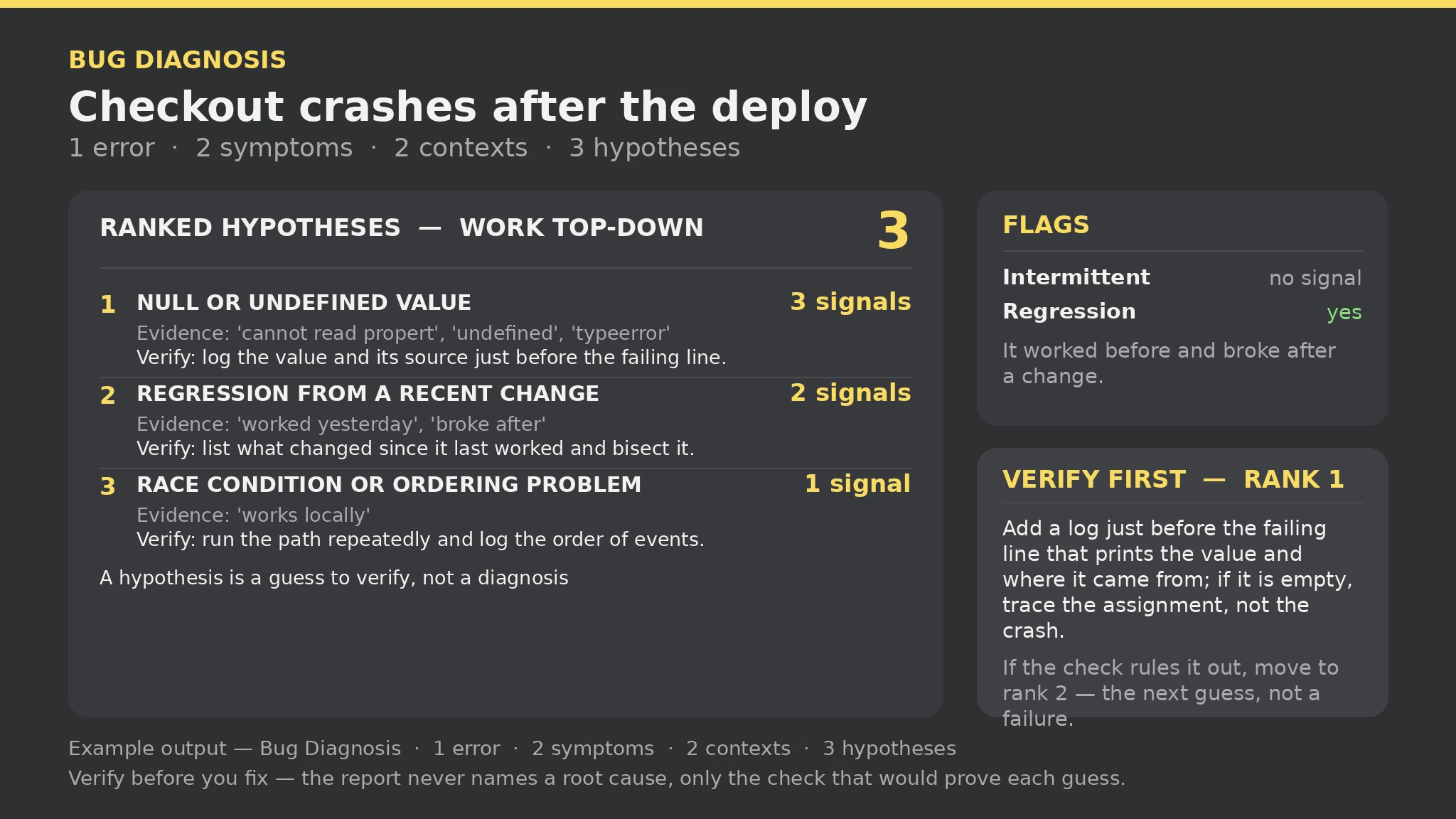
Bug diagnosis — sample

Errors: 1 | Symptoms: 2 | Contexts: 2 | Hypotheses: 3 | Gaps: 0 | Errors: 0 | Warnings: 0

Ranked: 1. Null or undefined value at runtime — 3 signals ('cannot read propert', 'undefined', 'typeerror'); 2. Regression from a recent change — 2 signals ('worked yesterday', 'broke after'); 3. Race condition or ordering problem — 1 signal ('works locally').

Flags: Intermittent: no signal; Regression: yes — it worked before and broke after a change.

What this report is not: a hypothesis is a guess to verify, not a diagnosis — the report never names a root cause, only the check that would prove each guess.
배포 후 체크아웃이 크래시되고 'email'이 undefined라는 TypeError가 뜹니다. 무엇을 먼저 확인해야 하나요?Read https://skillu.dev/install/agent.md, then install the Bug Diagnosis skill (bug-diagnosis)./bug-diagnosis. 그리고 원하는 것을 평범한 말로 설명하세요.아닙니다. 그 가설이 당신의 오류, 증상, 맥락에서 가장 많은 신호와 일치했다는 뜻입니다. 가장 먼저 확인할 가치가 높다는 것이지, 가장 맞을 가능성이 높다는 것이 아닙니다. 당신의 텍스트에 신호가 없는 진짜 근본 원인은 아예 나타나지 않습니다. 검증 단계를 실행하세요. 그 가설이 반증되면 다음으로 넘어가세요.
보고서는 그렇게 명확히 밝히고 정확한 오류 텍스트와 더 많은 맥락을 요청합니다. 전체 오류 메시지를 그대로——바꿔 쓰지 않고——붙여넣고, 무엇이 바뀌었는지·어디서 실행되는지를 추가한 뒤 다시 실행하세요.