 Skill
SkillInvoice & Receipt Organizer
A shoebox of receipts becomes a ledger your accountant will accept.
Works with: Claude Code, Codex, Cursor, Muse · Version 1.0 · Needs: A folder of invoice/receipt files (PDF or photo).
Get this Skill with Premium See plans
Preview
Sample output
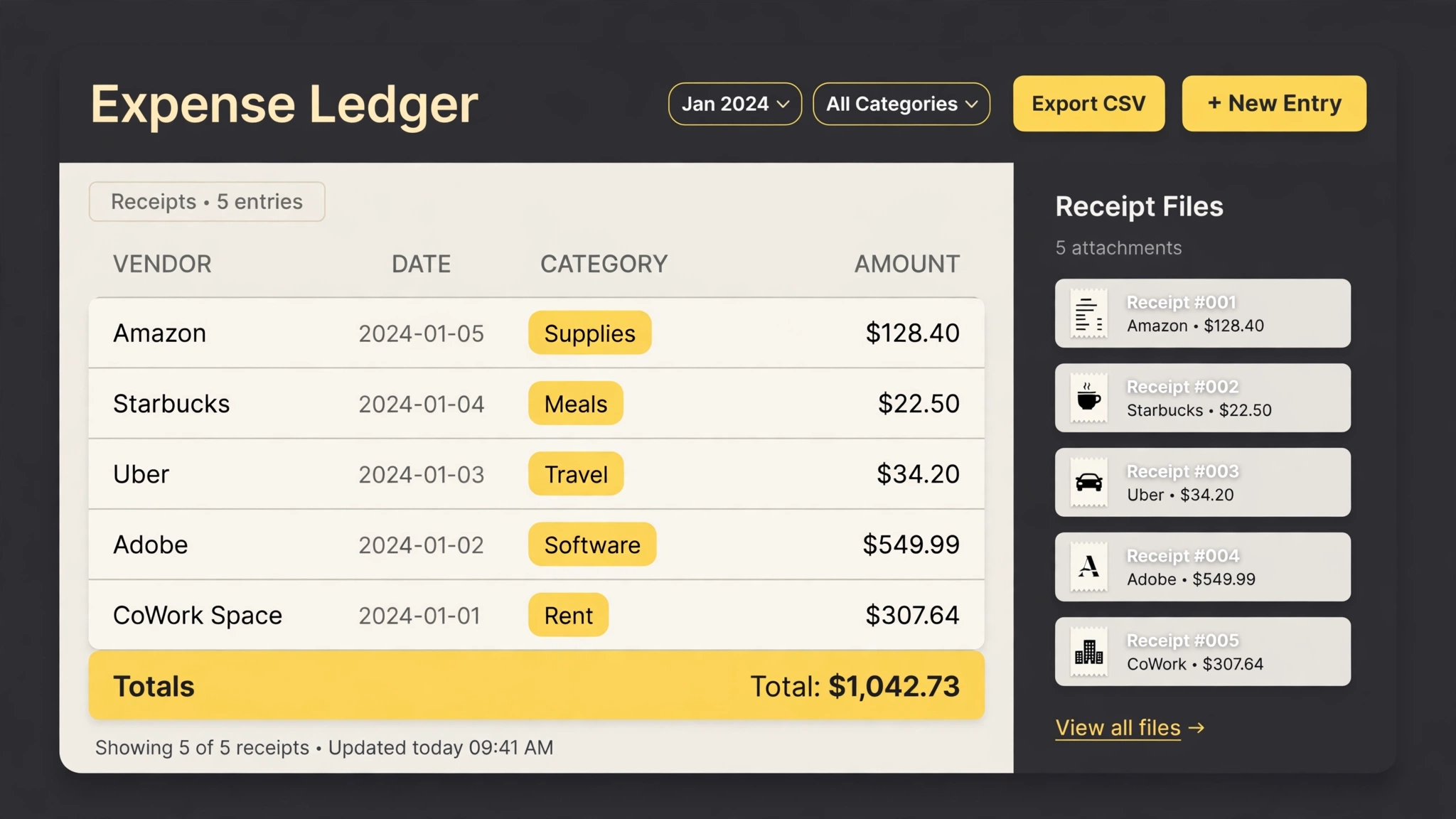
An example of what this Skill produces. Sample content, shown for illustration.
Expense ledger — 2026 Q3 (38 documents)

2026-07-03 · Cloudhost · Hosting · $49.00
2026-07-14 · Figma · Software · $15.00
2026-08-02 · Metro Office Supply · Office · $86.40
2026-09-19 · AirRail · Travel · $212.75
...

Totals: Software $412.00 · Hosting $147.00 · Travel $980.25 · Office $203.10
Filed as: 2026-07/2026-07-03_cloudhost_49.00.pdf (and 37 more)
Needs review: 1 photo too blurry to read an amount
What you get
- Reading of PDFs and receipt photos into structured rows
- Consistent renaming (date_vendor_amount) and month/category filing
- A ledger with vendor, date, category, and amount per item
- Category totals and a list of anything unreadable
About this Skill
Takes a folder (or a camera roll) of invoices and receipts and turns it into an expense ledger: each document is read, renamed with a consistent pattern, filed by month and category, and logged with vendor, date, and amount. Totals per category included, so tax season stops being an archaeology project.
Try it
Organize the receipts in /expenses/2026-q3: build the ledger, rename and file everything, and flag anything you cannot read.Good fit
- Freelancers and small teams doing quarterly books
- Anyone with a downloads folder full of invoice PDFs
Not for
- Audited financial statements
How to install
- Copy the install prompt into your agent:
Read https://skillu.dev/install/agent.md, then install the Invoice & Receipt Organizer skill (invoice-receipt-organizer). - Or download the Skill package from this page after launch and place its folder in your agent's skills directory.
- Call it with a slash command, e.g.
/invoice-receipt-organizer, and describe what you want in plain words.
FAQ
What if a receipt is blurry?
It is filed under needs-review with its best-effort reading, and listed in the report — never silently dropped.
Which categories does it use?
A standard small-business set by default; tell it your chart of accounts and it maps to yours.