一份 Readiness 结论——Ready to paste,或 Not ready 并点名缺口与错误
每项测试都带已记录的结果——没有结果的测试列为 Not recorded,绝不默认通过
每项风险都带已声明的等级——没有等级的风险列为 Not stated,绝不代为定级
所有缺口、输入错误与警告都在报告中点名
适合人群
开 PR 时先把事实摆在评审面前
让没测或没记录的检查在合并前就可见,而不是藏起来
在合并前标出 one-way-door 改动——迁移、删除、breaking change
不适合
批准改动——描述只是描述改动,评审仍要读 diff
判定改动有多危险——door verdict 只数不可逆词,不衡量风险
在没有变更摘要的情况下写 PR——报告会列出缺口,而不是编一份描述
示例输出
此 Skill 产出的示例。示例内容,仅供说明。
Pull request — sample

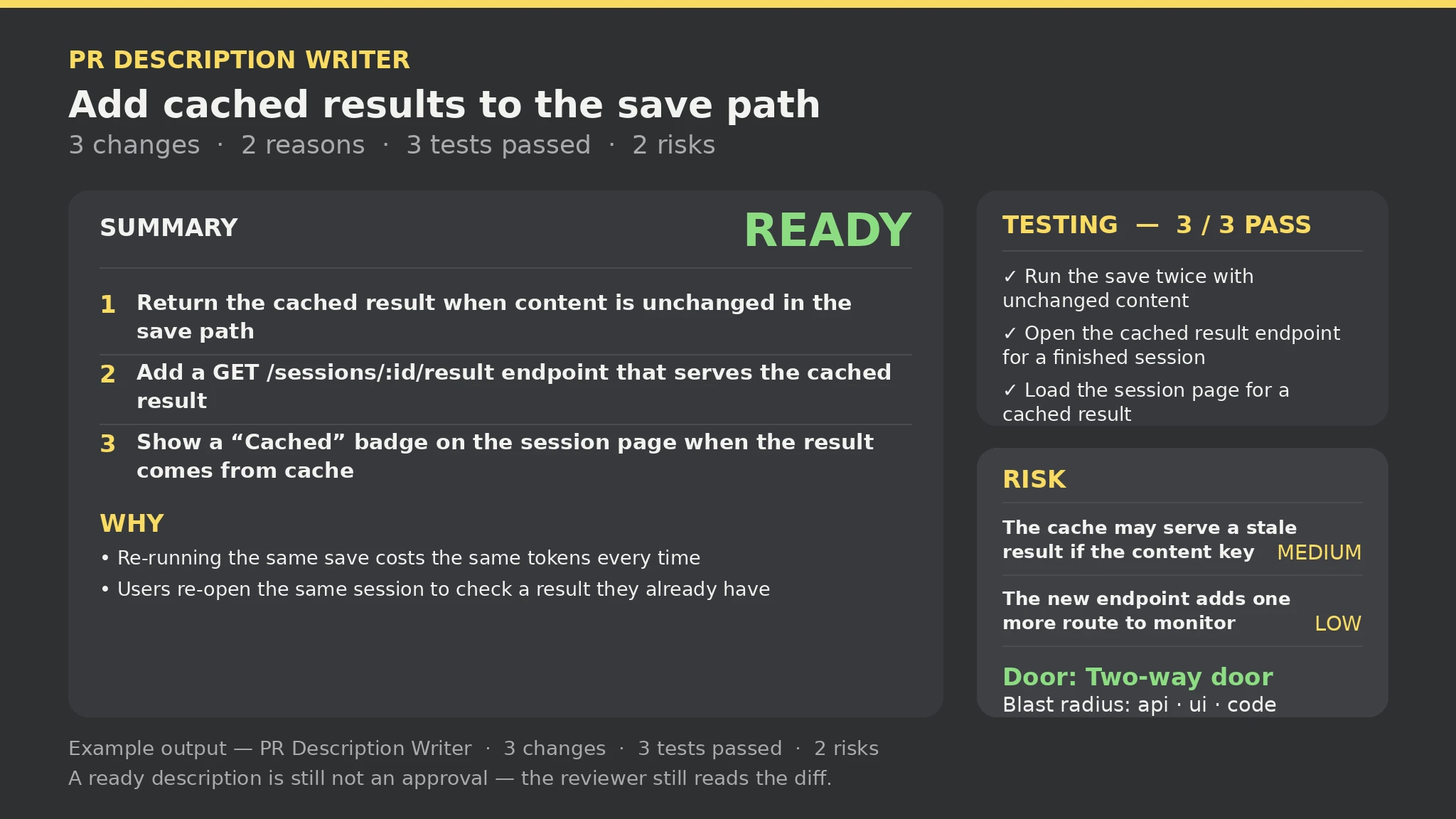
Changes: 3 | Why: 2 | Tests: 3 (3 passed, 0 failed, 0 not run, 0 not recorded) | Risks: 2 | Gaps: 0 | Errors: 0 | Warnings: 0

Ready to paste — every section is present and the input had no errors.

Summary: 1. Return the cached result when content is unchanged in the save path; 2. Add a GET /sessions/:id/result endpoint that serves the cached result; 3. Show a "Cached" badge on the session page when the result comes from cache.

Testing: Run the save twice with unchanged content — Pass; Open the cached result endpoint for a finished session — Pass; Load the session page for a cached result — Pass.

Door: Two-way door — no irreversible step mentioned; cheap to roll back. Blast radius: api · ui · code.

What this description is not: a description describes the change; it does not approve it — a reviewer still reads the diff.
关于此 Skill
你说
缓存保存的改动已就绪——写一份评审真正能用的 PR 描述。
如何安装
把安装提示词复制到你的 Agent: Read https://skillu.dev/install/agent.md, then install the PR Description Writer skill (pr-description-writer).
 Skill
 Muse
 Dot
 Cue
 Hermes
 Premium
 Premium
 Free
 Premium