 Skill
Issue Triage
Turn a pile of pasted issue reports into one ranked queue: P0 first, with type, suggested labels, the exact missing-info questions, and a routing note per issue.
Works with: Claude Code, Codex, Cursor, Muse · Version 1.0.0 · Needs: Your reports: issues.txt (one [#id] block per issue, body lines with symptoms, steps, environment, and user counts where known).
Get this Skill with Premium See plans
Preview
Sample output
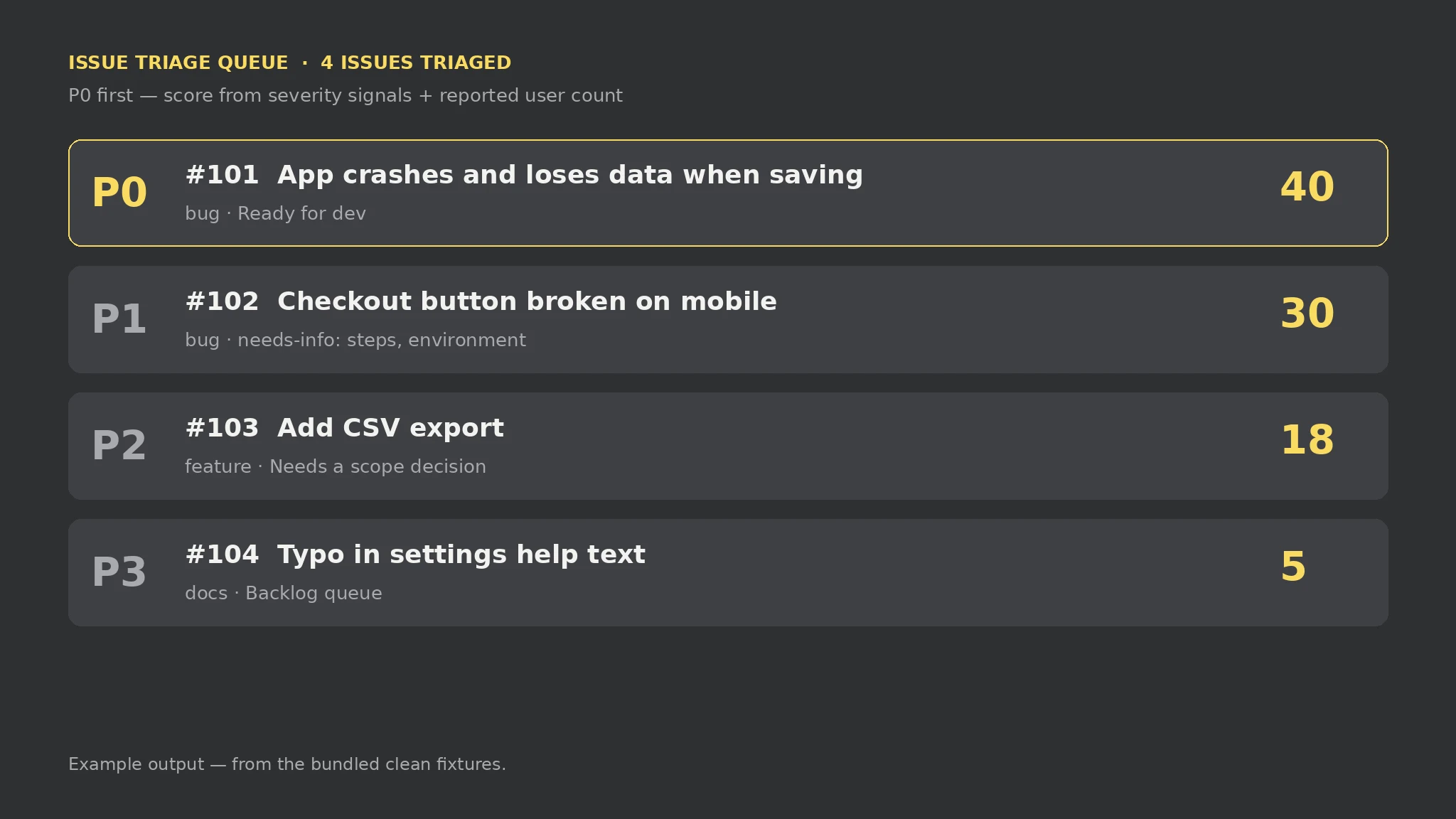
An example of what this Skill produces. Sample content, shown for illustration.
Issue Triage report — sample

Issues: 4 | P0: 1 | P1: 1 | P2: 1 | P3: 1 | Errors: 0 | Warnings: 0

Queue, ranked: 1. #101 App crashes and loses data when saving — P0, score 40 (bug, Ready for dev); 2. #102 Checkout button broken on mobile — P1, score 30 (bug, needs-info: steps to reproduce, environment / version, expected vs actual behavior); 3. #103 Add CSV export — P2, score 18 (feature, Needs a scope decision); 4. #104 Typo in settings help text — P3, score 5 (docs, backlog queue).

Errors: 0. Warnings: 0.
What you get
- A ranked queue: P0 first, with score, type, and labels per issue
- Missing-info questions: exactly what to ask before a bug can be worked on
- A routing note per issue: ready for dev, ask first, scope decision, or backlog
- Every input error and warning named in the report
About this Skill
Reads one plain-text file you write — issues.txt, one [#id] block per report with free-form body lines (symptoms, steps, environment, user counts) — and produces triage-report.md: the queue ranked P0 first by a documented score (data loss / security / outage / crash = 40, broken core flow = 30, wrong result / slow = 20, typo = 5; feature requests start at 10 plus up to 20 for a reported user count), type and suggested labels, missing-info questions for bug reports without steps, environment, or expected-vs-actual, a routing note, and every input error and warning. Local-only, standard library only; nothing is scraped or inferred — a score is a triage order, not a severity verdict, and needs-info is never a reason to close an issue.
Try it
Triage these four pasted reports — what should we fix first, and what is still missing before each can be worked on?Good fit
- Ordering a support inbox or backlog before anyone starts fixing things
- Turning a pile of pasted user reports into one workable queue
- Making sure the crash is fixed before the typo, not after it
Not for
- Scraping an issue tracker — you paste the reports
- Measuring real blast radius — the score reads the words in the report
- Closing incomplete reports — needs-info stays in the queue at its priority
How to install
- Copy the install prompt into your agent:
Read https://skillu.dev/install/agent.md, then install the Issue Triage skill (issue-triage). - Or download the Skill package from this page after launch and place its folder in your agent’s skills directory.
- Call it with a slash command, e.g.
/issue-triage, and describe what you want in plain words.
FAQ
How is an issue scored?
Severity signals in the report: data loss / security / outage / crash = 40, broken core flow = 30, wrong result / slow = 20, typo / cosmetic = 5. Feature requests start at 10 plus up to 20 for a reported user count. Bands: 40+ = P0, 25+ = P1, 15+ = P2, otherwise P3.
What happens if a report is missing detail?
A bug report without steps, environment, or expected-vs-actual is flagged needs-info with exactly those questions — but it keeps its priority. Missing detail is a routing problem, not proof the bug is unimportant.