 Skill
SkillYouTube Channel Pipeline
Turn a topic bank into an upload-ready YouTube package: score every hook with a fixed rubric, then draft titles, cover, description, chapters, and tags for the winner.
Works with: Claude Code, Codex, Cursor, Muse · Version 1.0.0 · Needs: A topic bank (topics.csv: topic, angle, audience, evidence, sections) and a channel brief (brief.txt: niche, audience, tone).
Get this Skill with Premium See plans
Preview
Sample output
An example of what this Skill produces. Sample content, shown for illustration.
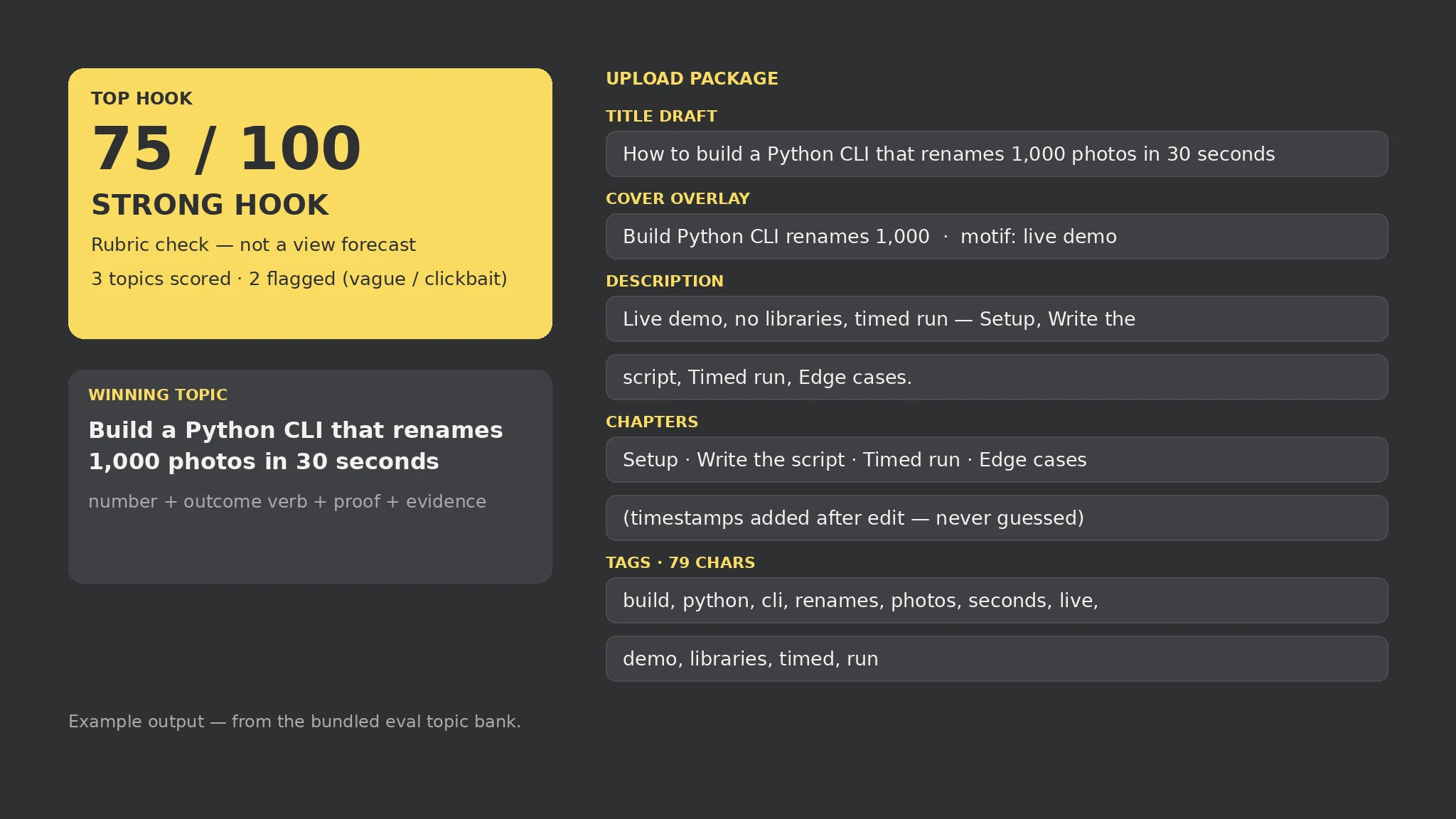
YouTube upload package — sample

Top topic: Build a Python CLI that renames 1,000 photos in 30 seconds (75/100, Strong hook).

Hook scores: CLI topic 75 (Strong) · Cool stuff about AI 0 (Weak, vague words: cool, general, stuff) · SHOCKING clickbait topic 0 (Weak, banned words: shocking, secret trick, you won't believe, insane, guaranteed, viral hack).

Title drafts: 1. Build a Python CLI that renames 1,000 photos in 30 seconds 2. How to build a Python CLI that renames 1,000 photos in 30 seconds 3. Build a Python CLI that renames 1,000 photos in 30 seconds for indie hackers.

Cover: overlay 'Build Python CLI renames 1,000', motif 'live demo'. Chapters: Setup · Write the script · Timed run · Edge cases (timestamps added after edit). Tags (79 chars): build, python, cli, renames, photos, seconds, live, demo, libraries, timed, run.
What you get
- A hook score (0–100) and band for every topic, with the reason for every point
- Banned clickbait-word and vague-word flags per topic
- Three title drafts, a cover brief, and a copy-ready description for the winner
- A chapter list (timestamps added after edit) and a tags string inside the 500-char limit
About this Skill
Reads a topic bank (topics.csv) and a channel brief, scores every topic's hook on checkable signals — concrete outcome, named audience, proof element, title length, evidence, chapter outline — and flags banned clickbait words and vague wording. For the top topic it drafts three title options, a cover brief, a copy-ready description, a chapter list, and a tags string kept inside YouTube's 500-character limit. Local-only, standard library only; scores are rubric checks, never predicted views, and chapter timestamps are added after the edit, never guessed.
Try it
Score this 3-topic bank for my channel and build the upload package for the winner.Good fit
- Planning a video before recording, with topics compared honestly
- A channel backlog: which idea deserves the next slot
- Shipping the upload package for an episode without inventing metrics
Not for
- Predicting views — the score measures checkability, not performance
- Publishing guessed chapter timestamps before the edit exists
- Comment handling or weekly review loops (channel routine, out of scope)
How to install
- Copy the install prompt into your agent:
Read https://skillu.dev/install/agent.md, then install the YouTube Channel Pipeline skill (youtube-channel-pipeline). - Or download the Skill package from this page after launch and place its folder in your agent’s skills directory.
- Call it with a slash command, e.g.
/youtube-channel-pipeline, and describe what you want in plain words.
FAQ
Does a high score mean the video will perform?
No. The score checks whether the topic states a concrete outcome, names an audience, and carries proof. A Strong hook with a video that does not deliver still fails.
Why do chapters have no timestamps?
Timestamps are added after the edit is cut. Publishing guessed times would be fabrication, so the script lists chapter titles and marks them for post-edit timing.