 Skill
 Muse
 Dot
 Cue
 Hermes
 Premium
Email Triage Automation
- 阅读完整会话
- 分入 3 个类别
- 以你的语气起草
- 批准后发送
← 全部 Skills · 自动化 · Handoff Notes
Premium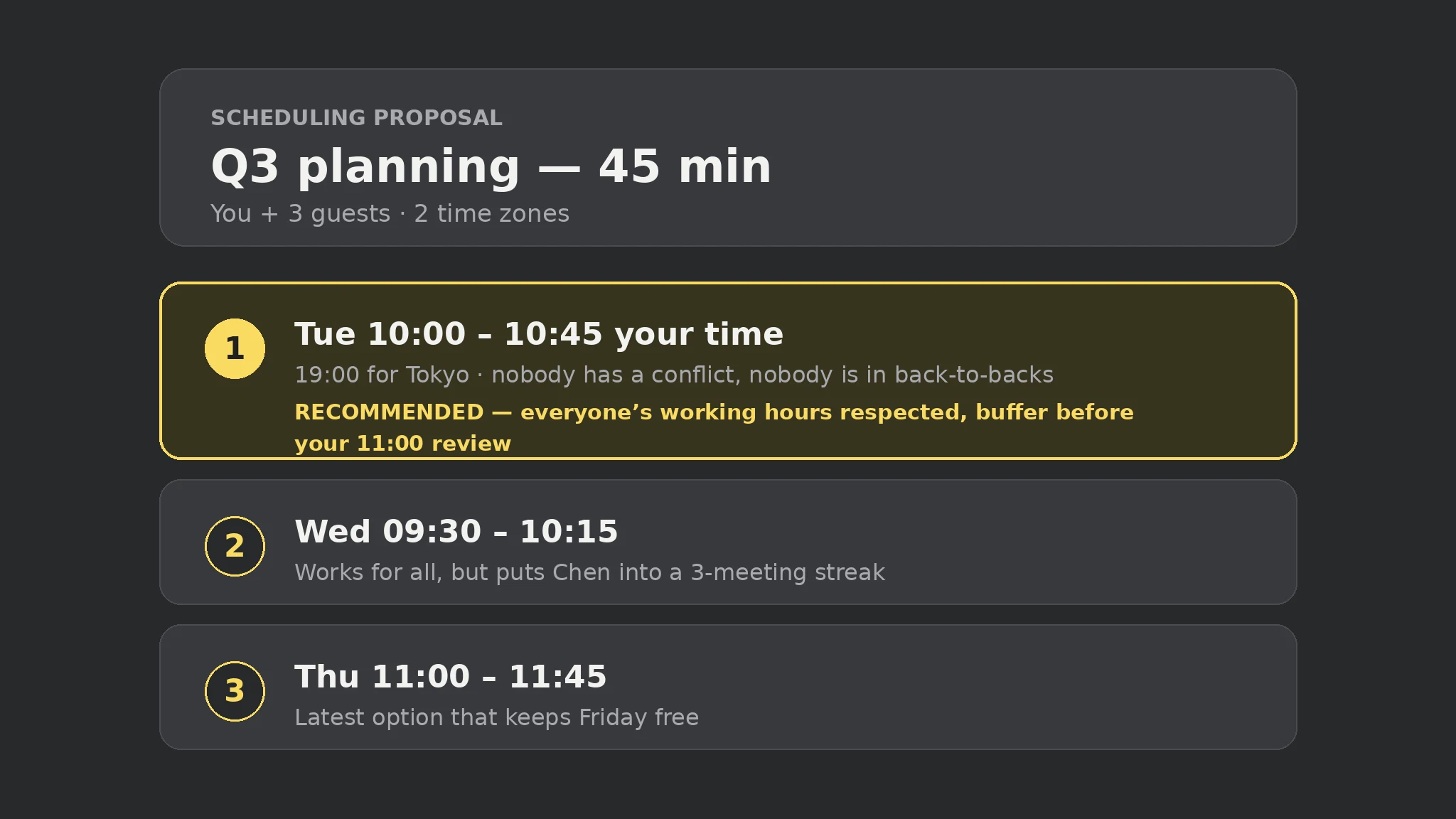 Premium
 Free
 Premium
此 Skill 产出的示例。示例内容,仅供说明。
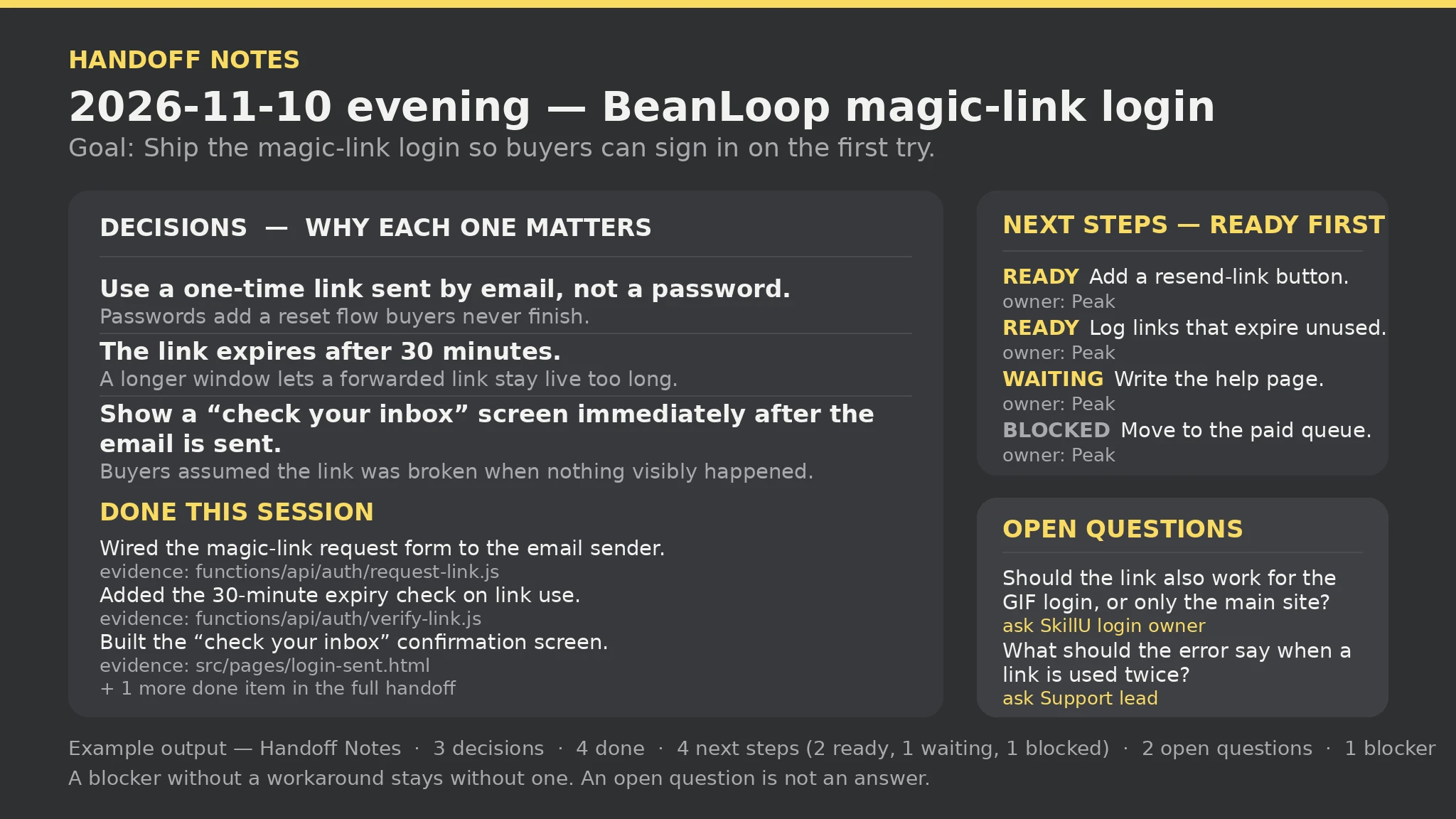
Handoff Notes report — sample

Decisions: 3 | Done: 4 | Next steps: 4 (ready 2 · waiting 1 · blocked 1) | Open questions: 2 | Blockers: 1 | Gaps: 1 | Errors: 0 | Warnings: 0

Decisions: Use a one-time link sent by email, not a password — passwords add a reset flow buyers never finish; the link expires after 30 minutes — a longer window lets a forwarded link stay live too long; show a "check your inbox" screen immediately — buyers assumed the link was broken when nothing visibly happened.

Next steps (ready first, then waiting, then blocked): [ready] Add a resend-link button on the confirmation screen — owner: Peak; [ready] Log how many links expire unused — owner: Peak; [waiting] Write the login help page for buyers who never get the email — owner: Peak; [blocked] Move the email sender behind the paid-worker queue — owner: Peak.

Gaps: 2 open question(s) are unanswered — 'Should the link also work for the GIF generator's login, or only the main site?' (ask SkillU login owner); 'What should the error say when a link is used twice?' (ask Support lead).
把这场会话变成另一场会话能接着干的交接文档——决定、已完成的事、排好序的下一步、待回答的问题与阻碍。Read https://skillu.dev/install/agent.md, then install the Handoff Notes skill (handoff-notes)./handoff-notes,然后用大白话描述你想要什么。只按你写的状态:ready 在前、waiting 居中、blocked 在后;同一状态内保持你写的顺序。标为 blocked 的步骤既不会被隐藏、也不会被提前——它留在列表末尾,下一场会话一眼就能看到它卡住了。
它会留在交接文档里并标为暂无变通办法,缺口里会点名有多少个阻碍没有变通办法——文档绝不会编一个变通办法。在 Blocker 行里补上变通办法(阻碍 | 影响 | 变通办法)再跑一次。