 Skill
SkillAI-Tell Editor
Cut stock AI phrasing from a draft: replace tells like delve and tapestry with plain words, drop filler, and flag long sentences and em-dash pile-ups for the author.
Works with: Claude Code, Codex, Cursor, Muse · Version 1.0.0 · Needs: A draft file (draft.md: plain text or Markdown, any length).
Get this Skill with Premium See plans
Preview
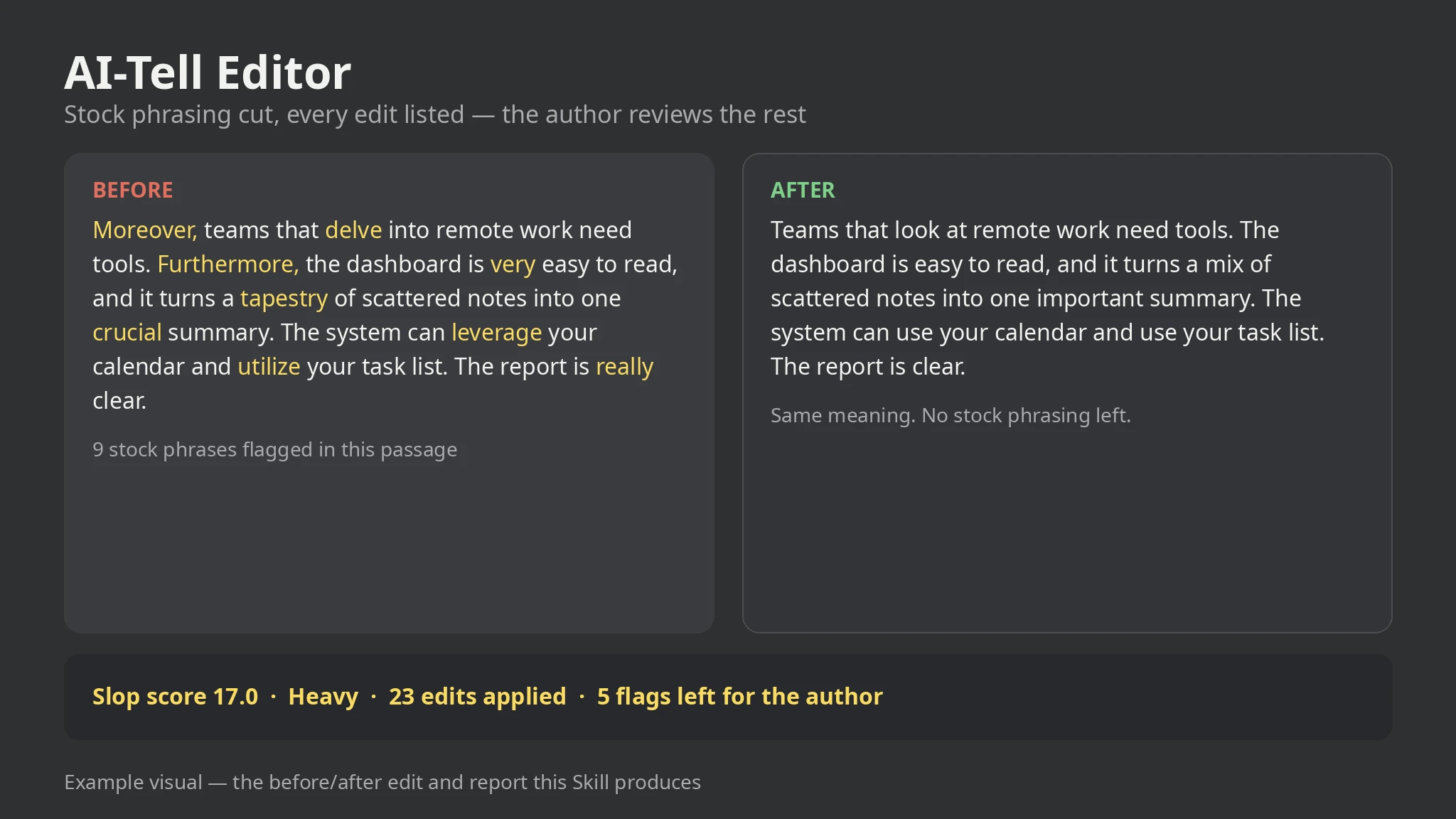
Sample output
An example of what this Skill produces. Sample content, shown for illustration.
AI-Tell Editor report — sample

Slop score: 17.0 flags per 100 words — band: Heavy (28 flags in 165 words: 23 edits applied, 5 left for the author.)

Edits applied: "In today's fast-paced world" → (deleted); "delve into" → look at; "ever-evolving landscape" → changing field; "Moreover" / "Furthermore" / "Additionally" → (deleted); "leverage" / "utilize" → use; "tapestry" → mix; "very" / "really" → (deleted).

Left for the author: "just" and "simply" (flagged, not deleted); a 39-word sentence; "the" starting 3 sentences; 6 em dashes in one paragraph.

Edited opening: "Teams that look at the changing field of remote work need tools that simply work. Our platform has a busy dashboard…"
What you get
- An edited draft with stock phrasing replaced or cut
- A report listing every edit with its reason and context
- A slop score (flags per 100 words) with a Clean / Light / Heavy band
- A left-for-the-author list: long sentences, em-dash pile-ups, repetitive starts
About this Skill
Reads a draft (plain text or Markdown) and runs a mechanical plain-language pass: stock phrases get a plain replacement or deletion, very/really are dropped, and just/simply/quite/actually are flagged, never deleted. Long sentences over 30 words, paragraphs with 3+ em dashes, and a word starting 3+ sentences are flagged for hand rework. Output is an edited draft plus a report listing every edit with its reason and a slop score (flags per 100 words). Local-only, standard library only; the score measures stock-phrasing density, never a detector outcome, and the author reviews every change.
Try it
Edit this draft so it reads like a person wrote it, and show me every change you made.Good fit
- Polishing an AI-assisted draft before publishing
- Cleaning up docs, posts, and emails that sound model-written
- Learning which stock phrases you lean on, with receipts
Not for
- Guaranteeing any AI-detector outcome — the score is not a detector
- Rewriting meaning or restructuring an argument (the author does that)
- Misrepresenting authorship — edits are disclosed in the report
How to install
- Copy the install prompt into your agent:
Read https://skillu.dev/install/agent.md, then install the AI-Tell Editor skill (ai-tell-editor). - Or download the Skill package from this page after launch and place its folder in your agent’s skills directory.
- Call it with a slash command, e.g.
/ai-tell-editor, and describe what you want in plain words.
FAQ
Will this make my text pass an AI detector?
No, and it never claims to. The score measures how much stock phrasing a draft contains, not what a detector will say. Use it to write plainer prose, not to disguise authorship.
Does it rewrite my argument?
No. It only cuts stock phrasing and filler and flags sentences for you to rework. Structure, evidence, and claims stay exactly as you wrote them.