 Skill
Launch Plan Compiler
Turn launch inputs into a dated checklist with owners and go/no-go gates: tasks split into before launch, launch day, and after launch, each dated from the launch day, and a verdict — GO, NOT READY, or NO-GO — from the gates you list.
Works with: Claude Code, Codex, Cursor, Muse · Version 1.0.0 · Needs: Your launch inputs: launch.txt (Launch and Date lines, then one Task line per job — phase | title | owner | when — and one Gate line per go/no-go check — name | criterion | status).
Preview
Sample output
An example of what this Skill produces. Sample content, shown for illustration.
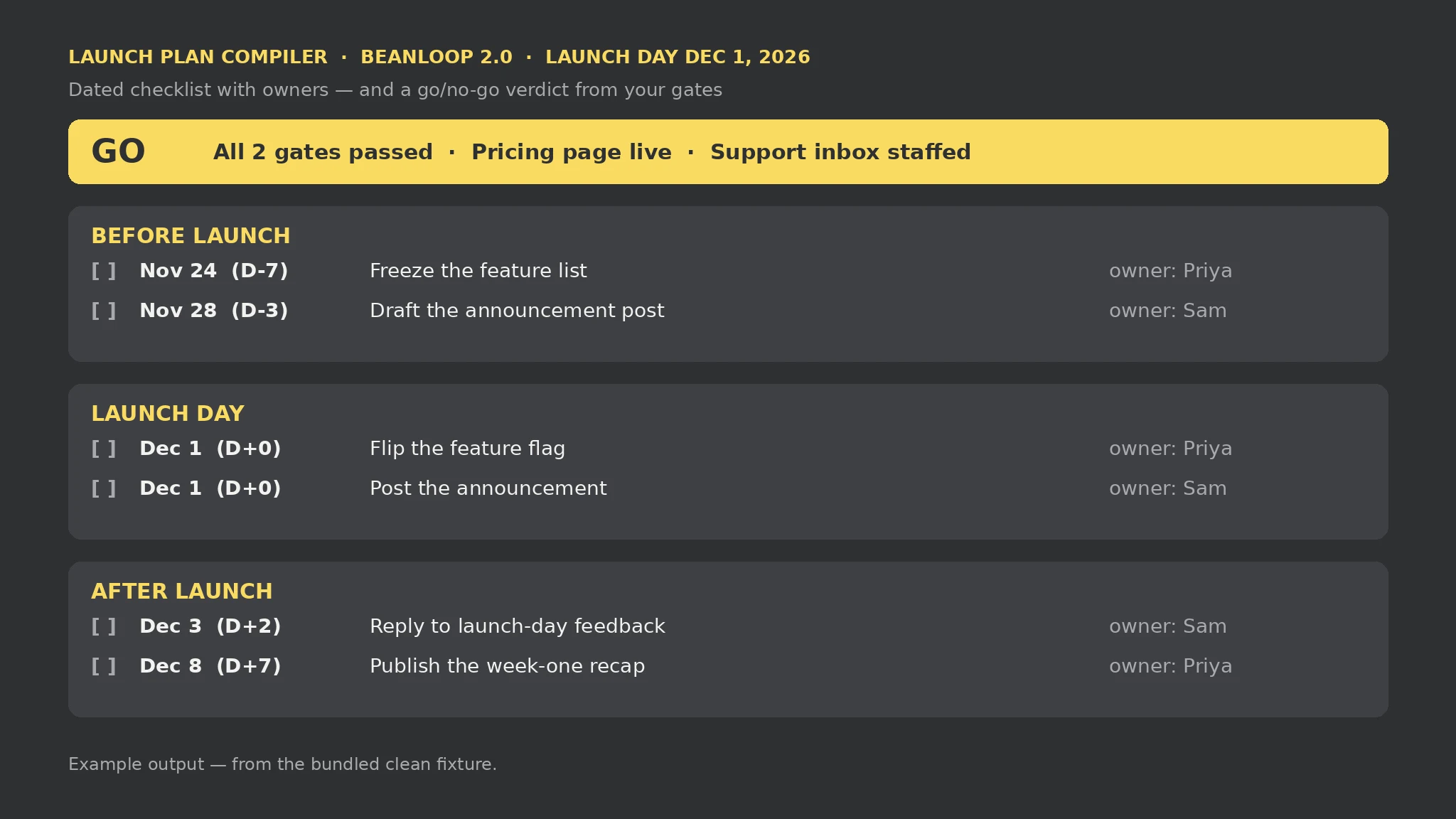
Launch Plan Compiler report — sample

Tasks: 6 | Gates: 2 | Verdict: GO | Gaps: 0 | Errors: 0 | Warnings: 0

Launch day: Dec 1, 2026. Before launch: freeze the feature list (Nov 24, Priya) and draft the announcement post (Nov 28, Sam). Launch day: flip the feature flag and post the announcement (Dec 1). After launch: reply to launch-day feedback (Dec 3, Sam) and publish the week-one recap (Dec 8, Priya). Gates: pricing page live and support inbox staffed, both passed — verdict GO.

Gaps: None.
What you get
- A go/no-go verdict from your gates, first on the page
- A dated checklist split into before launch, launch day, and after launch
- An owner on every task — a task with no owner stays Unassigned, never invented
- Every gap, input error, and warning named in the report
About this Skill
Reads one plain-text file you write — launch.txt, with a Launch line and a Date line (launch day, YYYY-MM-DD), plus Task lines (phase | title | owner | when) and Gate lines (name | criterion | status) — and produces launch-plan.md: the go/no-go verdict first, then the checklist split into Before launch / Launch day / After launch, each task dated and sorted, then the gate table. A when value is a D-offset (D-7, D+0, D+3) or an absolute date, resolved against the launch day; a task whose phase disagrees with its date is dropped and named. Local-only, standard library only; a task with no owner stays Unassigned, a gate with no status stays pending, and a launch with no tasks or no gates says so — the plan is a document, it posts and sends nothing.
Try it
Turn these launch inputs into a dated checklist with owners and go/no-go gates — what happens before, on, and after launch day, and are we GO?Good fit
- Planning a launch with jobs spread across the week before, the day, and the week after
- Deciding GO or NO-GO from a short list of checks with named criteria
- Checking a half-written launch list for exactly what is still missing
Not for
- Posting or sending anything — the plan is a document, the launch itself is yours
- Verifying a gate for you — pass means you checked it, not that the launch will succeed
- Moving your dates — a task whose phase disagrees with its date is dropped, never silently re-phased
How to install
- Copy the install prompt into your agent:
Read https://skillu.dev/install/agent.md, then install the Launch Plan Compiler skill (launch-plan-compiler). - Or download the Skill package from this page after launch and place its folder in your agent’s skills directory.
- Call it with a slash command, e.g.
/launch-plan-compiler, and describe what you want in plain words.
FAQ
How is a task's date calculated?
From the launch day: a D-offset counts days from it — D-7 is seven days before, D+0 is launch day, D+3 is three days after. An absolute date is used as written. The phase must match the resolved date: before means earlier than launch day, launch-day means the same day, after means later; a mismatch drops the task and names it in the errors.
How is the verdict decided?
From your gates, in this order: NO DATE when no valid launch date was given, NO GATES when no gates were listed, NO-GO when at least one gate failed, NOT READY when none failed but at least one is still pending, GO when every gate passed. A gate with no status counts as pending.