 Skill
 Muse
 Dot
 Cue
 Hermes
 Premium
Email Triage Automation
- Read full threads
- Sort into 3 buckets
- Draft in your voice
- Approve & send
← All skills · Automation · CRO Audit
Premium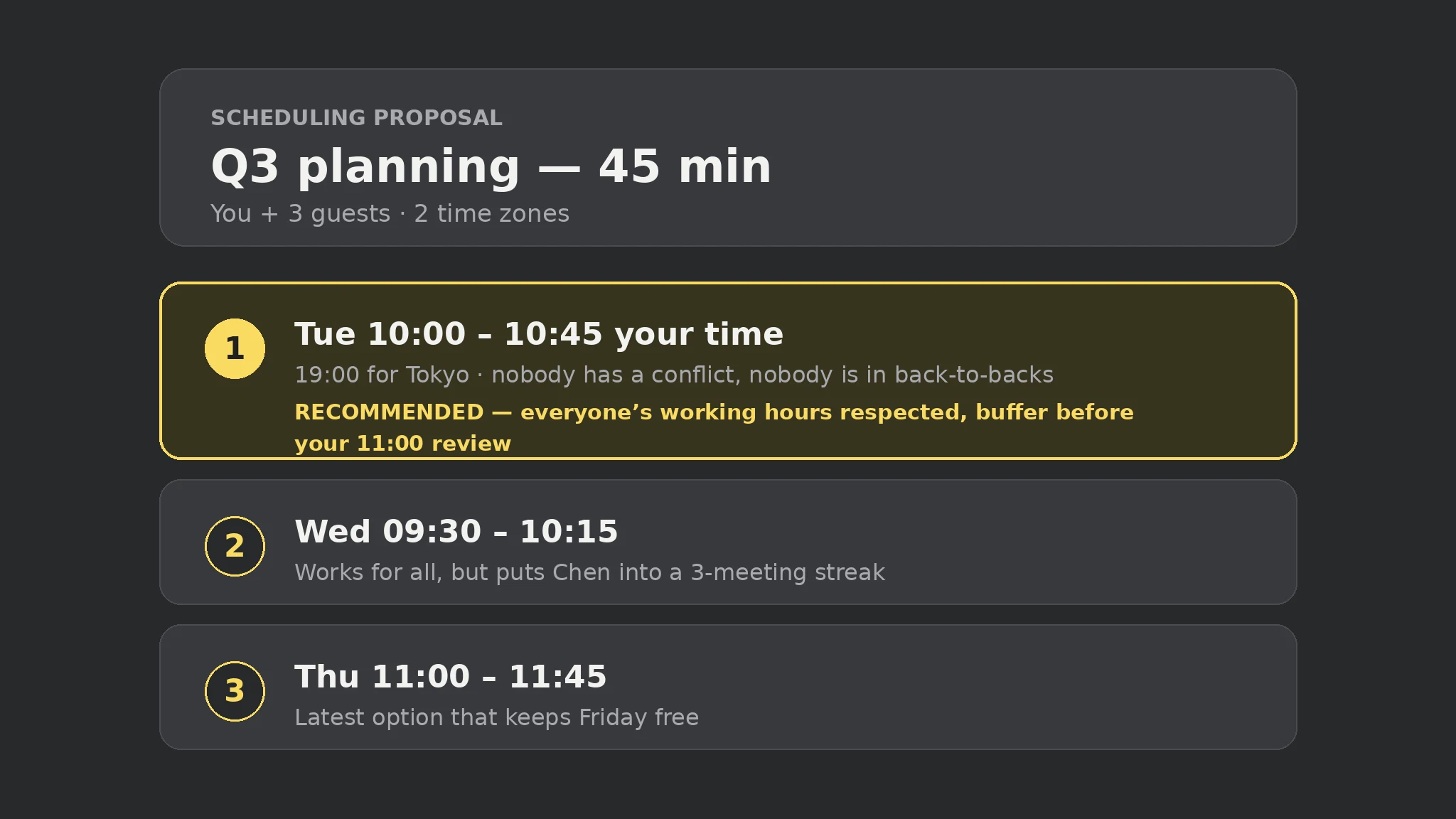 Premium
 Free
 Premium
An example of what this Skill produces. Sample content, shown for illustration.
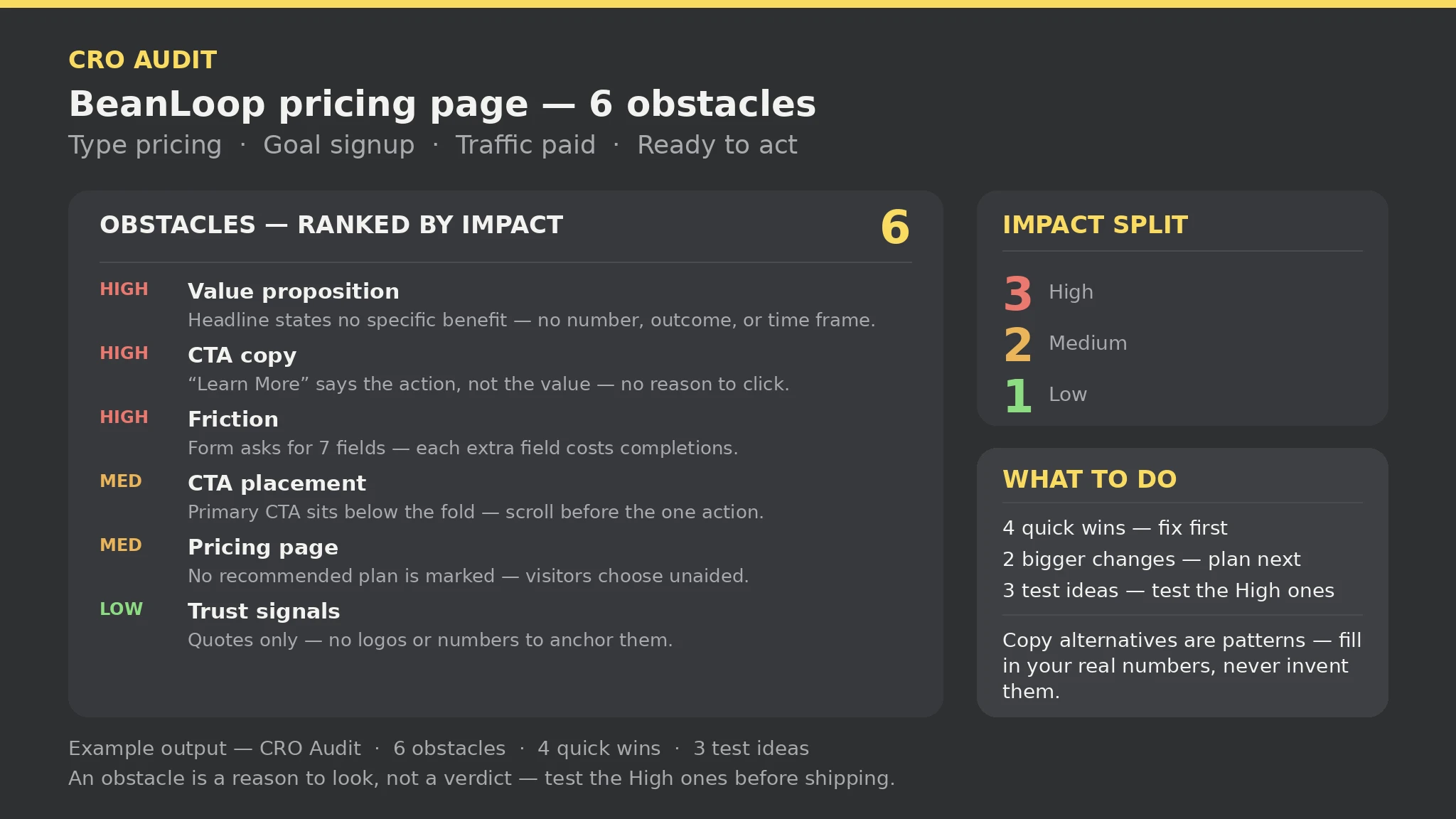
CRO Audit — sample

Page: BeanLoop pricing page | Type: pricing | Goal: signup | Traffic: paid | Obstacles: 6 (High 3 · Medium 2 · Low 1) | Quick wins: 4 | Bigger changes: 2 | Test ideas: 3 | Gaps: 0 | Errors: 0 | Warnings: 0

Ready to act — every part is present and the input had no errors.

Top obstacle: [High · Quick win] Value proposition — Headline states no specific benefit - no number, outcome, or time frame a visitor can check. Evidence: Headline: "The all-in-one platform for modern teams".

Second: [High · Quick win] CTA copy — Button copy says the action, not the value. Third: [High · Bigger change] Friction — Form asks for 7 fields.

Copy alternatives are patterns with bracketed placeholders — fill in your real numbers, never invent them; a fix is a change to make, not a result to expect.
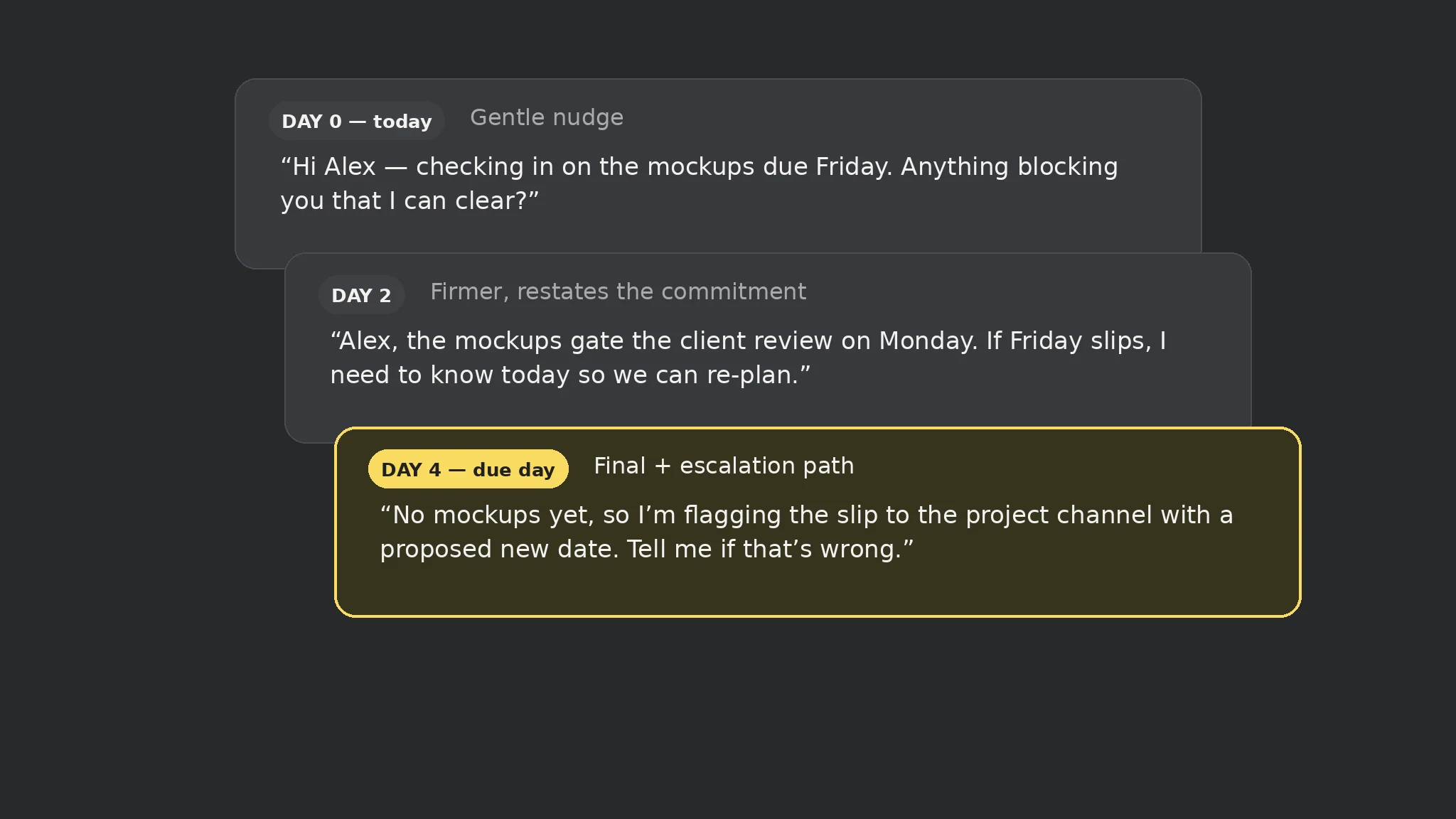
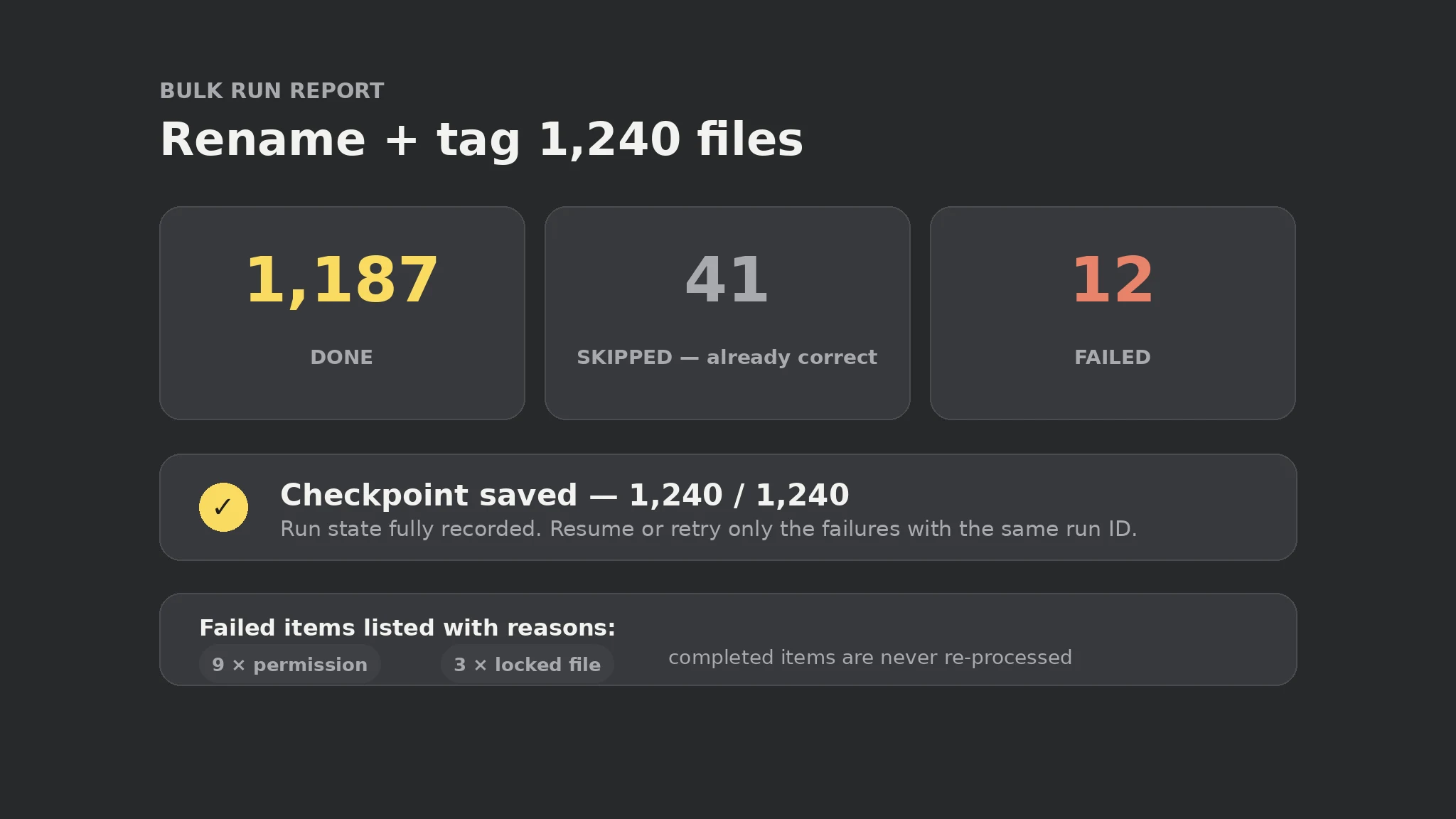
Our BeanLoop pricing page is not converting paid traffic — audit it and tell us what to fix first.Read https://skillu.dev/install/agent.md, then install the CRO Audit skill (cro-audit)./cro-audit, and describe what you want in plain words.No. It means every part is present and the input had no errors — the audit is complete, not the page. A ready audit can still find six obstacles, as the bundled sample does; a page with no obstacles only passes this audit's seven-dimension checks.
No. It only reads the cro.txt file you write, and it only flags what you describe there. A dimension the input does not describe is a gap or a missing signal, never a guessed fact.
Leave the Fields line out — it is optional. Only form goals (signup, demo, contact, subscribe) with no Fields line get a warning that the form length is unknown.