


← All skills · Automation · Schema Markup Builder

Schema Markup Builder — finished output
Runs inClaude Code Codex Cursor Muse Dot Grok Bot Cue OpenClaw Hermes
Needs:The page brief as text: schema.txt (a Page line, a Type line, a URL line, one Field line per field in 'key | value' form, and the structured lines the type needs: Question/Answer pairs for FAQ, Step lines for HowTo, Crumb lines in 'name | url' form for Breadcrumb).

Similar Skills

View all skills →

What you get

  • A JSON-LD block — @context plus @type, built only from the lines you wrote; a missing field stays missing in the block, never invented
  • A completeness score — 100 minus 25 for a missing Page or Type, 15 for a missing URL, 10 per missing required field, 5 per invalid value, 10 for too few FAQ pairs, Steps, or Crumbs, with every deduction named
  • A verdict — Ready to publish, or Needs work with the gaps, errors, and warnings named
  • A required-fields checklist — each required field marked present or MISSING, so the report is auditable before publishing
  • Value validation — dates checked as ISO 8601, URLs as http(s), price as a number, with bad values kept as written and named
  • Eligibility warnings — FAQ, HowTo, and WebSite carry the dated Google retirement facts, so a retired type is never sold as a rich result

Good fit

  • Adding structured data to a page you already wrote — an article, a product page, a FAQ, a how-to, a local business, an event
  • Checking before publishing whether every required field is present and every value is valid
  • Keeping schema honest — markup that matches the visible page, with nothing invented

Not for

  • Promising a rich result — the score is a checklist count, and a 100-point block for a retired type still earns no rich result
  • Checking Google's live gallery — eligibility is judged against the dated facts in the report; for anything else, check the supported structured data gallery first
  • Fetching the page — it only structures the brief you write; the markup must match what the page actually shows

Sample output

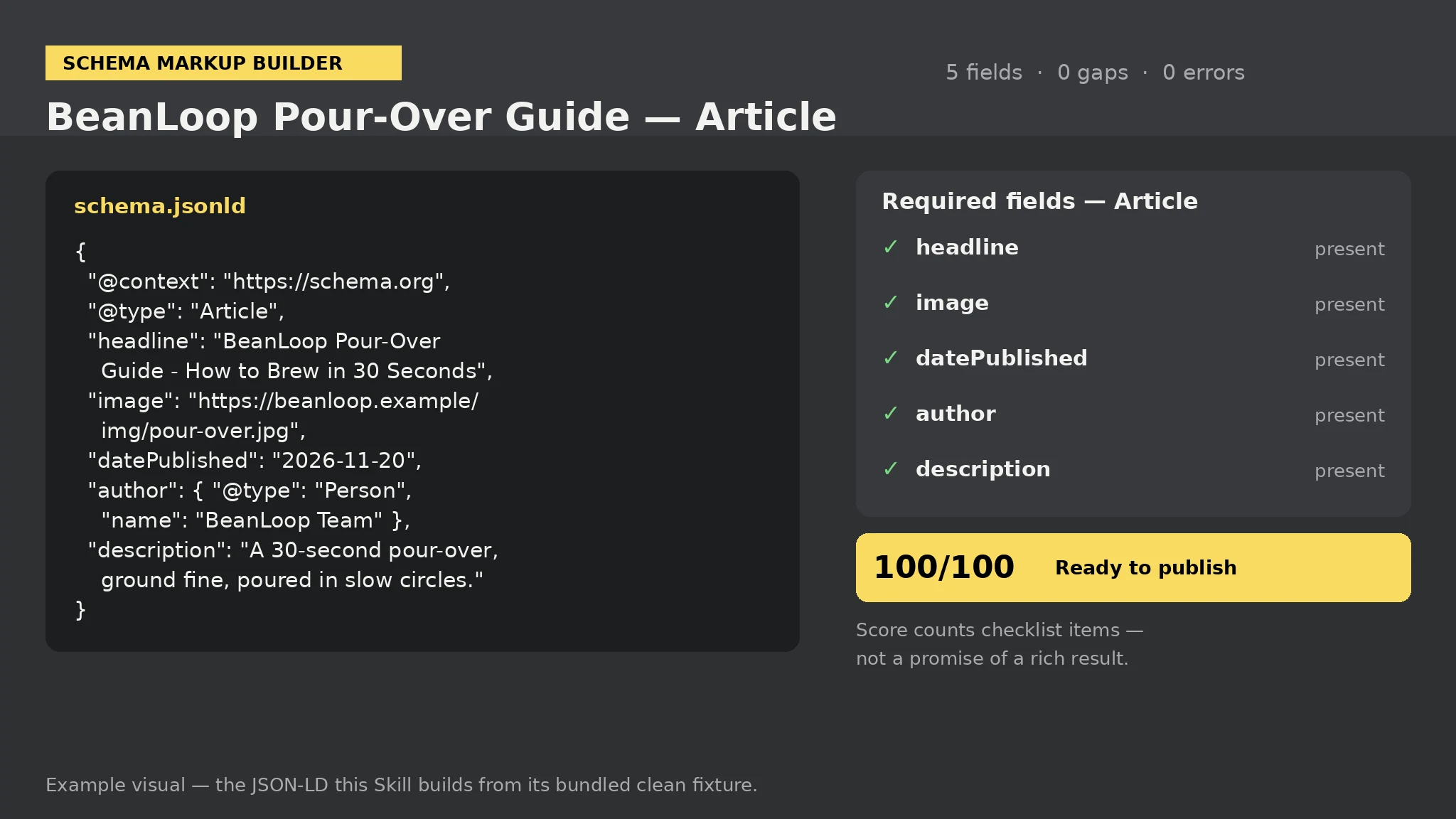
An example of what this Skill produces. Sample content, shown for illustration.

Schema Markup — sample

Page: BeanLoop Pour-Over Guide - How to Brew in 30 Seconds | Type: Article | Fields: 5 | Pairs: 0 | Steps: 0 | Crumbs: 0 | Completeness: 100/100 | Gaps: 0 | Errors: 0 | Warnings: 0

Ready to publish — the markup is complete enough to publish with the page.

Article JSON-LD: @type Article, headline, image https://beanloop.example/img/pour-over.jpg, datePublished 2026-11-20, author BeanLoop Team as a Person, description. Required fields headline, image, datePublished, author: all present.

A completeness score is a checklist count, not a promise of a rich result.

About this Skill

You say
BeanLoop has a pour-over guide page — build its Article JSON-LD and tell us whether it is ready to publish.

How to install

  1. Copy the install prompt into your agent: Read https://skillu.dev/install/agent.md, then install the Schema Markup Builder skill (schema-markup-builder).
  2. Or download the Skill package from this page after launch and place its folder in your agent’s skills directory.
  3. Call it with a slash command, e.g. /schema-markup-builder, and describe what you want in plain words.

FAQ

Does a 100/100 score mean the page will get a rich result?

No. It means every checklist item passed: page, type, and URL named; every required field present; every value valid. That is completeness, not eligibility — whether Google shows a rich result depends on Google's current supported-features gallery, and FAQ, HowTo, and sitelinks search box rich results are retired.

Which schema types can it build?

Nine: Article, FAQPage, Product, HowTo, BreadcrumbList, Organization, WebSite, LocalBusiness, and Event. One run builds one type; the required fields for each are listed in the report, and a field the type does not use is left out of the JSON-LD and named as a warning.

What happens to a field I leave out?

It stays missing: the JSON-LD block has no invented value for it, and the report deducts 10 points and marks it MISSING in the required-fields checklist. Fill it in and re-run — the score only moves when the brief itself changes.

Get Premium access Browse more skills