 Skill
 Muse
 Dot
 Cue
 Hermes
 Premium
← All skills · Image · Pixel Art Brief
Similar Skills
Premium Free
 Premium
 Premium
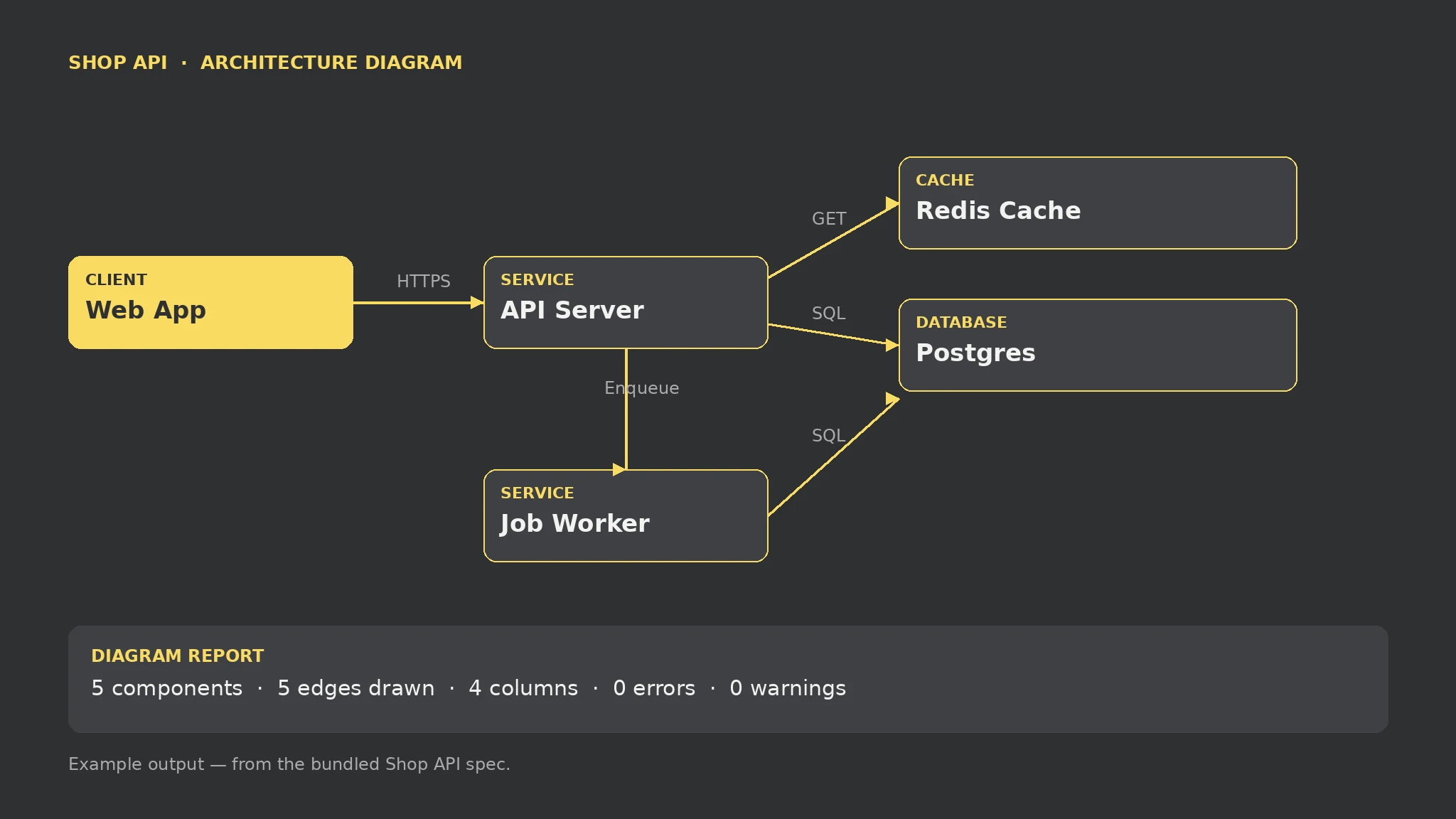
Architecture Diagrammer
- List components and connections in the spec
- Run the renderer on the spec
- Read the report before sharing the diagram
- Fix errors and orphans, then rerun
What you get
- An idea-and-grid pair — what the art is of and how big the grid is
- A palette-and-style plan — how many colors and which style, the same for the whole set unless a sprite says otherwise
- A sprite-by-sprite list — each sprite with its size and color count, with duplicates and bad lines dropped and named
- Export checks — what to verify on the finished art before it ships
- A completeness score — 100 minus the named deductions, with every gap, error, and warning listed
- An honesty line — the brief is a plan, not the drawing; no pixel is drawn here
Good fit
- Planning pixel art before drawing — a mascot, a sprite set, game assets
- Keeping per-sprite sizes and color counts explicit — one sprite 32x32, another 16x16, colors inside the palette
- Checking a brief is complete before handing it to a pixel editor
Not for
- Drawing the pixel art — it plans the art; drawing stays with your pixel editor
- Promising good art — the score is a checklist count, and a 100/100 brief for a muddy idea still draws into muddy pixel art
- Inventing sprites — a sprite you did not list is not drawn, and a color you did not name is never assumed
Sample output
An example of what this Skill produces. Sample content, shown for illustration.
Pixel Art Brief — sample

Idea: BeanLoop mascot, a coffee-cup robot waving | Grid: 32x32 | Sprites: 4 | Palette: 16 colors | Completeness: 100/100 | Gaps: 0 | Errors: 0 | Warnings: 0

Ready to draw — the brief is complete enough to draw from.

Idea BeanLoop mascot, a coffee-cup robot waving, Grid 32x32, Palette 16 colors, Style 8-bit. Sprites hero idle, hero wave, coffee cup, bean — 2,560 pixels in total.

A completeness score is a checklist count, not a quality promise.
About this Skill
You say
BeanLoop needs a mascot — a coffee-cup robot waving — as a 4-sprite pixel set on a 32x32 grid with 16 colors. Tell us whether the brief is ready to draw from.How to install
- Copy the install prompt into your agent:
Read https://skillu.dev/install/agent.md, then install the Pixel Art Brief skill (pixel-art-brief). - Or download the Skill package from this page after launch and place its folder in your agent’s skills directory.
- Call it with a slash command, e.g.
/pixel-art-brief, and describe what you want in plain words.
FAQ
Does a 100/100 score mean the art will look good?
No. It means every checklist item passed: idea, grid, palette, style, background, export, at least 1 sprite, checks, and a clean brief. That is completeness, not skill — whether the art looks good depends on the idea and the artist, which this brief never touches.
How big can the grid be?
A WxH size with each side 8–256, such as 32x32. Above 64x64 you get a warning — a big grid is slow to draw pixel by pixel.
What happens to a sprite I leave out?
It simply is not drawn: the brief lists only the Sprite lines you wrote, and the report deducts 10 points when there are none at all. Add the line and re-run — the score only moves when the brief itself changes.