 Skill
 Muse
 Dot
 Cue
 Hermes
 Premium
Email Triage Automation
- Read full threads
- Sort into 3 buckets
- Draft in your voice
- Approve & send
← All skills · Automation · Customer Research Synthesizer
Premium Premium
 Free
 Premium
An example of what this Skill produces. Sample content, shown for illustration.
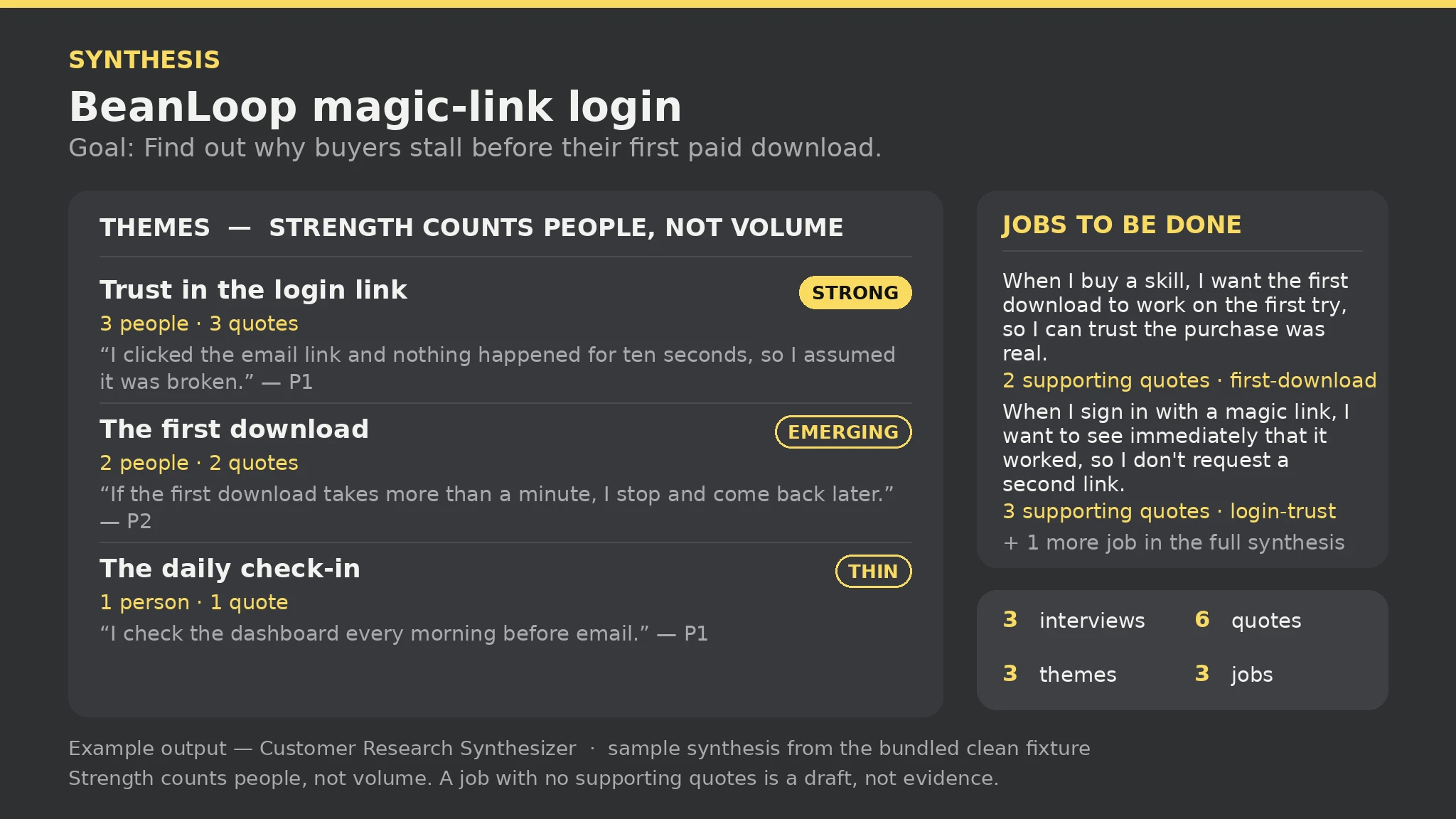
Customer Research Synthesizer report — sample

Interviews: 3 | Quotes: 6 | Themes: 3 | Jobs: 3 | Gaps: 1 | Errors: 0 | Warnings: 0

Themes: Trust in the login link — Strong (3 people, 3 quotes) · The first download — Emerging (2 people, 2 quotes) · The daily check-in — Thin (1 person, 1 quote).

Jobs: "When I buy a skill, I want the first download to work on the first try…" — 2 supporting quotes (first-download); "When I sign in with a magic link, I want to see immediately that it worked…" — 3 supporting quotes (login-trust).

Gaps: 1 theme is thin (daily-habit) — treat as a lead, not a finding.
Synthesize these interview notes — themes with verbatim quotes, and jobs to be done with their supporting evidence.Read https://skillu.dev/install/agent.md, then install the Customer Research Synthesizer skill (customer-research-synthesizer)./customer-research-synthesizer, and describe what you want in plain words.Only by how many distinct participants said that theme: 3 or more is Strong, exactly 2 is Emerging, 1 is Thin — Thin is a lead, not a finding. One person saying the same thing three times is still Thin; strength counts people, not quote volume.
It stays in the synthesis and is marked as a draft, not evidence, with a gap naming how many jobs have no supporting quotes — a job statement with no verbatim words behind it is your interpretation, not something participants said. Add Quote lines with the relevant quotes and re-run.