


← All skills · Automation · Security Audit Lite

Security Audit Lite — finished output
Runs inClaude Code Codex Cursor Muse Dot Grok Bot Cue OpenClaw Hermes
Needs:Your audit notes: audit.txt (Project and Scope lines, one Check line per area you looked at — area | claim | evidence — one Risk line per risk you already know about — area | finding | severity: Critical, High, Medium, or Low | status: open, fixed, or accepted — and optional Note lines). The area must be one of the 12 fixed areas: secrets, dependencies, auth, access, data, headers, logging, backups, endpoints, vendors, incidents, updates.

Similar Skills

View all skills →

What you get

  • A coverage table: all 12 checklist areas, each marked covered or not checked
  • Every claim with its evidence, so each one can be re-checked
  • Open findings ordered Critical first, then High, Medium, Low
  • Fixed and accepted risks listed separately, never mixed in with the open ones
  • Every gap, input error, and warning named in the report

Good fit

  • Running a quick security checklist pass before a launch
  • Seeing at a glance which checklist areas you have not looked at yet
  • Working known risks in severity order, Critical first

Not for

  • Proving code has no vulnerabilities — this skill does not test code
  • Scanning a repository or automatically finding vulnerabilities
  • Judging a finding's severity — you assign it, the script only orders it

Sample output

An example of what this Skill produces. Sample content, shown for illustration.

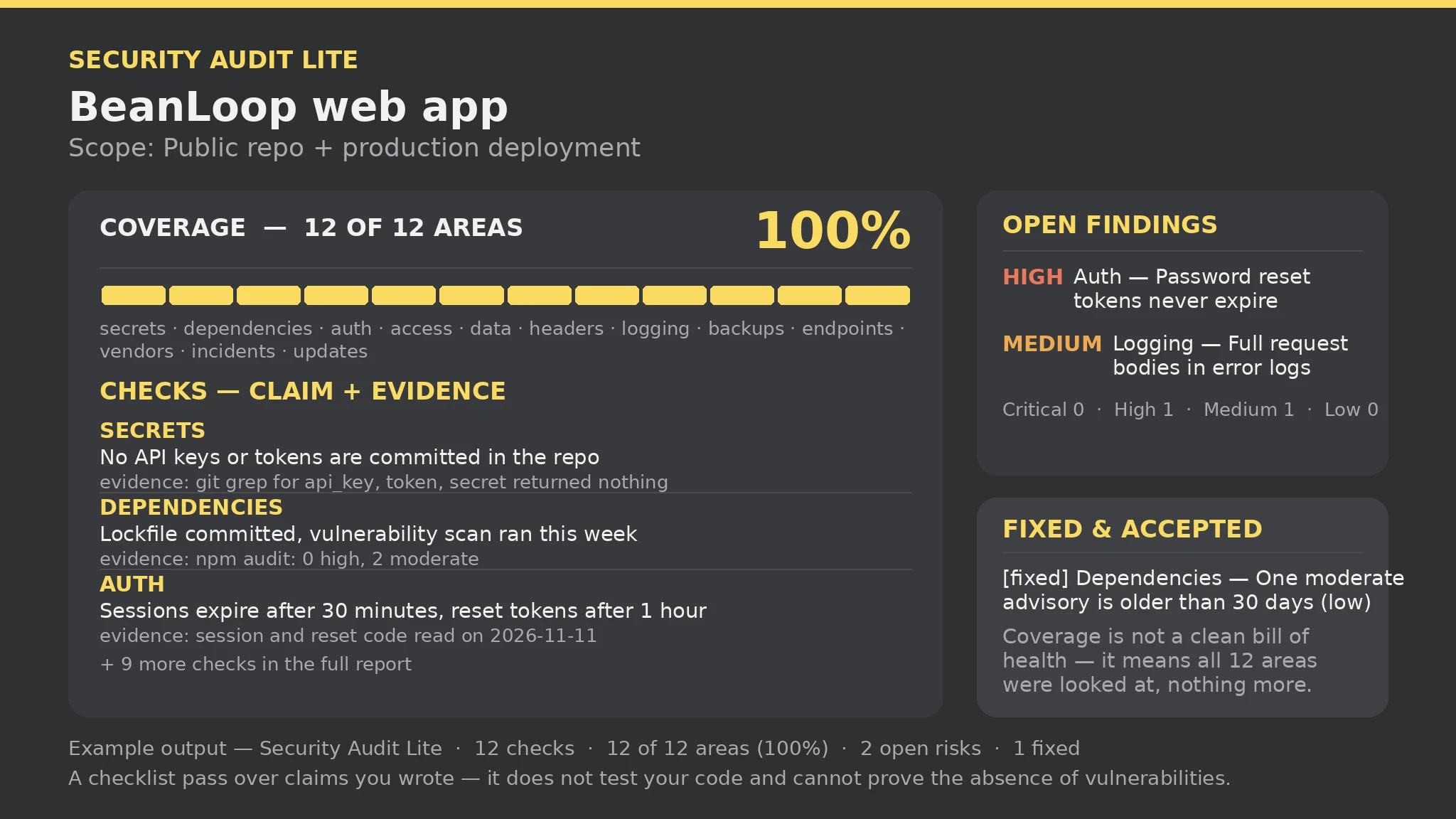
Security Audit Lite report — sample

Checks: 12 | Coverage: 12 of 12 areas (100%) | Open risks: 2 (High 1 · Medium 1) | Fixed: 1 | Gaps: 1 | Errors: 0 | Warnings: 0

Coverage: secrets, dependencies, auth, access, data, headers, logging, backups, endpoints, vendors, incidents, updates — all 12 covered.

Open findings (Critical first): [High] Auth — Password reset tokens never expire; [Medium] Logging — Error logs include full request bodies.

What this report is not: a checklist pass over claims you wrote — it does not test your code and cannot prove the absence of vulnerabilities. Coverage is not a clean bill of health.

About this Skill

You say
Run a checklist security audit pass on this project — all 12 areas checked, known risks ordered by severity.

How to install

  1. Copy the install prompt into your agent: Read https://skillu.dev/install/agent.md, then install the Security Audit Lite skill (security-audit-lite).
  2. Or download the Skill package from this page after launch and place its folder in your agent’s skills directory.
  3. Call it with a slash command, e.g. /security-audit-lite, and describe what you want in plain words.

FAQ

Does 100% coverage mean the project is safe?

No. 100% only means you looked at all 12 areas and missed none; a covered area can still hold an open Critical finding. Coverage answers 'did you look everywhere', not 'is it safe'.

What happens to a check with no evidence?

It is dropped and named in the errors section — a claim needs evidence (a command you ran, a file you read, or a result you saw). Add the evidence and re-run.

Get Premium access Browse more skills